What Is Pine Script? A Plain-English Guide to TradingView's Language
The code behind every custom indicator and strategy on TradingView, explained without the jargon and without turning you into a programmer.
Bar replay lets you step through a chart candle by candle, so you can test a strategy the way it actually happens: one bar at a time, no future in view.
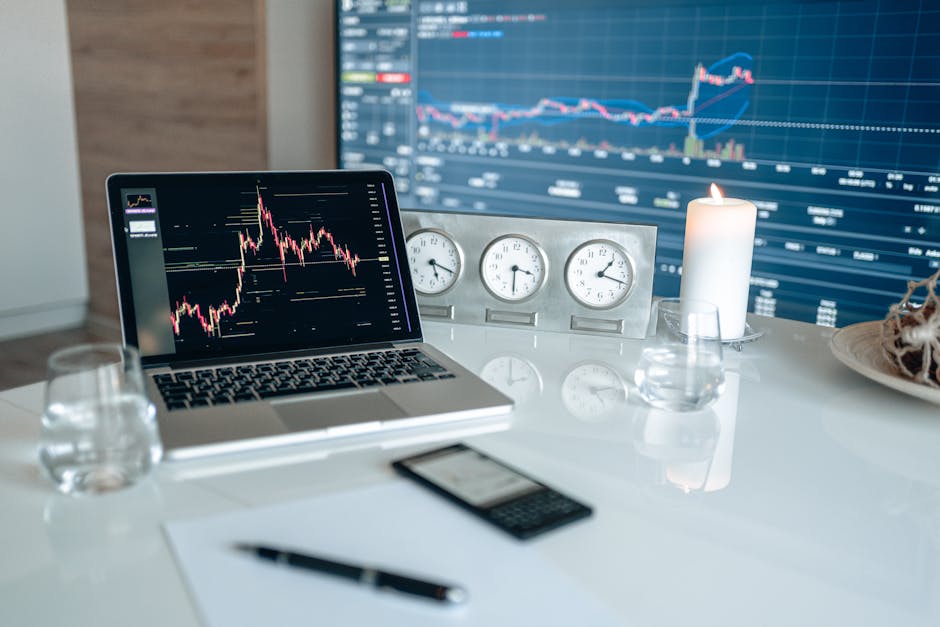
If you have ever scrolled back on a chart, spotted the perfect entry, and thought "I would have caught that," you already know the problem. Hindsight is a liar. The trade looks obvious once you can see how it ended. The hard part is deciding to take it when the right edge of the screen is blank.
That is exactly the gap TradingView replay mode closes. It hides the future and plays your chart back one candle at a time, so you have to make the call before you know the answer. If you want to learn how to use TradingView replay mode to practice honestly, this is the tool that keeps you honest.
Bar replay rewinds the chart to a point you choose and then feeds it forward one bar at a time. Everything after your start point is blacked out. You press play, or step forward manually, and each new candle prints as if it were happening live. Your indicators recalculate as they go, your drawings stay put, and you get to react to price the way you would in real time.
The magic is not the animation. It is the blindfold. You cannot peek at bar 40 while judging bar 20, because bar 40 does not exist yet on your screen.
The button lives in the top toolbar of the chart, usually labeled Replay and marked with a small play-style icon. Here is the flow:
That is the entire setup. Step mode is the one to lean on. Auto-play is fine for getting a feel of the flow, but stepping bar by bar forces you to actually decide something at each candle instead of watching it roll by.
If you are still finding your way around the platform in general, our beginner's guide to TradingView covers the basics of the layout first.
Here is the catch, and it is worth saying plainly so you are not surprised. On the free plan, bar replay only works on the daily timeframe and above. Weekly and monthly are fine. Anything intraday, like the 1-hour or 15-minute chart, is locked behind a paid plan.
So if you trade off the daily, the free plan does everything you need. If your strategy lives on lower timeframes, you will hit the wall fast. That is one of the honest trade-offs between the tiers, and we lay out the rest in TradingView free vs paid plans.
The upside: daily candles are a great place to practice trend logic anyway. There is less noise, fewer fake-outs, and you are not glued to the screen. Plenty of serious approaches never touch a chart faster than the daily.
Replay only helps if you use it like a test and not like a highlight reel. The temptation is to start replay, see a clean move, and pat yourself on the back for a trade you never actually committed to. Do this instead.
Before you press play, decide what your entry, exit, and invalidation are, in plain words. "Go long when price closes above the trend line, exit when the trailing stop is hit." If the rules only exist in your head, you will quietly bend them every time the chart moves against you. A written rule is one you can actually grade yourself against.
A candle that is still forming can look like anything. It can be green, then red, then green again before it closes. Judge your signals on closed bars only. When you step forward, ask: given this bar that just finished, do my rules say enter, exit, or wait? Then step again. This mirrors how a non-repainting signal behaves in real life, where the call is locked once the bar closes.
Write down what you did at each signal and why: entered, skipped, exited, sat on your hands. The skips matter as much as the trades. A trading journal built from replay sessions is one of the cheapest ways to find out whether your rules actually hold up or whether you just like the idea of them.
This is the part most people skip, and it is the most useful part. A good trend strategy waits a lot. If you fast-forward through every quiet period, you never build the patience the strategy actually demands. Step through the chop. Feel how long "do nothing" really lasts. That is training too.
People mix these up, so here is the difference in one table.
| Bar replay | Backtesting | |
|---|---|---|
| What it tests | Your judgment, live | The rules, in bulk |
| Speed | Slow, one bar at a time | Fast, whole history at once |
| Output | Your own logged decisions | A summary of results |
| Best for | Feel, discipline, timing | Coverage, statistics |
Both belong in your process. Backtesting tells you whether a set of rules held up across a lot of history without your emotions in the way. Replay tells you whether you can actually execute those rules when the outcome is unknown. If the rules test well but you fall apart in replay, the problem is not the rules. If you want the mechanical side too, here is how to backtest a strategy on TradingView.
This is the real reason replay matters. Any indicator, any signal, any strategy someone hands you deserves to be dragged through replay before you put money behind it. Not because the tool is dishonest, but because you need to see it behave on your own charts, on your own timeframe, on markets you actually trade.
A signal that looks clean in a marketing screenshot is a different thing from a signal you have watched print in slow motion across a hundred bars, including the times it kept you flat while price chopped sideways and the times it flipped you out of a trend early. Replay is how you earn that trust instead of borrowing it.
This is also why we built Vektor to be checked, not taken on faith. It reads the trend on gold and Bitcoin and tells you long, short, or flat, plots its exit as a trailing stop that follows the move, and can show its result next to buy-and-hold right on your chart. It works on any TradingView plan, including the free one, so you can drop it on a daily chart and step through replay yourself. If it does not hold up on your screen, the 14-day money-back guarantee has you covered. It is information, not financial advice, and it does not place trades for you.
A quick note on the trailing stop, since it shows up during replay: if you are unsure how that kind of exit works, what is a trailing stop loss explains it in plain terms.
If you want a concrete starting point, run this loop on a daily chart of gold or Bitcoin:
Risk reminder: practice runs cannot promise future results, and no amount of replay removes the chance of loss. It just makes you slower to fool yourself.
Does TradingView replay mode work on the free plan?
Yes, but only on the daily timeframe and higher. Intraday replay, anything below one day, needs a paid plan. Free users can still practice properly, just on daily candles.
Can I see future bars in replay mode?
No. When you set the start point, everything to the right is hidden, and the chart only advances when you play or step forward. That is what keeps you from cheating your own test.
Is bar replay the same as backtesting?
No. Backtesting runs the rules across history and hands you a summary. Replay makes you sit through it bar by bar and make the calls yourself. Use both.
Do indicators update correctly during replay?
Usually yes. They recalculate as each bar prints, so a moving average or trailing stop redraws as it would live. Judge signals on closed bars, not on a bar still forming.
The fastest way to lie to yourself about a strategy is to look at a finished chart. The fastest way to stop is bar replay. Open a daily chart, hide the future, write down your rules, and step through it one candle at a time. Whatever you are thinking of trusting with real money, watch it print slowly first. If it survives that, you have a reason to keep going. If it does not, you just saved yourself the tuition.
The code behind every custom indicator and strategy on TradingView, explained without the jargon and without turning you into a programmer.

How to run TradingView on your phone without kidding yourself about what the mobile app can and cannot do versus desktop.

One sells a broad signal toolkit on a subscription. The other sells a single focused trend call for a one-time price. Here is the honest breakdown.