What Is Pine Script? A Plain-English Guide to TradingView's Language
The code behind every custom indicator and strategy on TradingView, explained without the jargon and without turning you into a programmer.
Stop staring at every chart. Filter markets by trend, volume, and volatility so you only look at names worth your time.
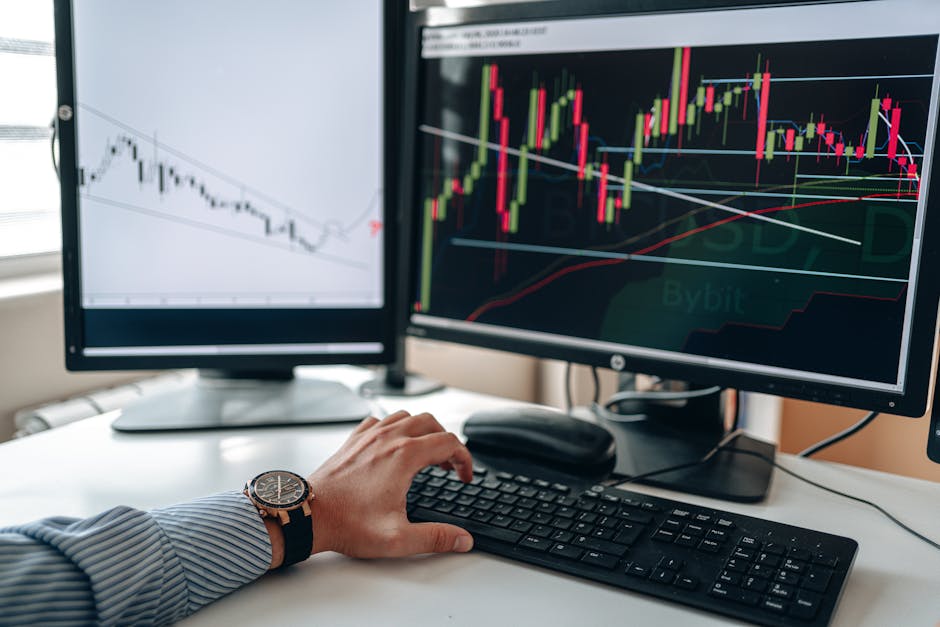
Open TradingView, glance at the number of tickers available, and the honest reaction is that no human can watch all of that. Thousands of stocks, hundreds of crypto pairs, every forex cross. Trying to eyeball the whole market is how you end up either paralyzed or chasing whatever moved yesterday.
The fix is boring and it works: you filter. Learning how to use the TradingView screener means turning that unmanageable wall of markets into a short list of names that already match your rules before you ever open a chart. This is a plain how-to, plus an honest note on where the paid screening features actually earn their keep and where they do not.
The screener is a filter, not a fortune teller. You give it conditions, it hands you back only the tickers that meet all of them right now. Instead of scrolling a watchlist and hoping something jumps out, you describe the setup you care about and let the tool do the sorting.
TradingView has separate screeners for stocks, crypto, and forex. You reach them from the Products menu or the Screeners link. The layout is the same across all three: a set of filters up top, a results table below, and the ability to add or remove columns so you see the data that matters to you.
The goal is a shortlist. Somewhere between five and thirty names is workable. Fewer than that and your rules are probably too tight. More than that and you have not filtered enough, so you are back to staring at everything.
You can pile on dozens of conditions. Most of the time you do not need to. Three families of filter cover the majority of what a trend-minded trader wants: trend, volume, and volatility.
Trend filters answer one question: is this thing going somewhere, or just chopping sideways? A few reliable ways to ask that inside the screener:
You do not need all three. Pick the one that matches how you think and start there.
Volume is your reality check on whether anyone else cares. A chart can look perfect and be untradeable because barely anything changes hands. Screen it out early.
Volatility tells you whether there is enough movement to make a trade worth taking. Too little and you are risking money for scraps. Too much and your stops get run before the idea plays out.
A quick reference for the filters worth starting with:
| Filter | What it does | A sane starting point |
|---|---|---|
| Price vs 200-day MA | Keeps you on the trend's side | Above for longs, below for shorts |
| ADX | Screens out sideways markets | Above 20-25 |
| Avg daily volume | Removes illiquid names | Set to your comfort level |
| Relative volume | Flags unusual activity today | Above 1.5 |
| ATR or % change | Confirms there is movement | Enough to clear costs |
Here is the practical order. It takes a few minutes the first time and seconds after you save it.
That saved screen is the real payoff. The work is in defining your rules once. After that you are running a repeatable process instead of improvising every session.
The screener's job ends at the shortlist. It has told you which names match your rules. It has not told you to buy anything, and you should be suspicious of any tool that claims otherwise.
Click a ticker to open its chart and do the real work. Where is support and resistance. Is the move early or extended. What does a sensible entry and stop look like. This is also the moment to build a proper TradingView watchlist from the survivors so you are not re-screening the same names every hour. From there, alerts let you walk away and get pinged if price reaches a level you care about, instead of babysitting the screen.
One honest caution: a screener can make you feel busy and productive while you are really just generating more things to look at. A tight, well-defined screen fights overtrading. A loose one with twenty names and no plan feeds it. Fewer, better candidates beats a firehose every time.
The free screener is genuinely capable. You can filter on trend, volume, and volatility, save screens, and build a solid shortlist without paying anything. For most people starting out, that is enough, and it is worth understanding the free versus paid plan tradeoffs before you upgrade.
What paid tiers add, roughly:
Be honest with yourself about which of these you would actually use. If you screen once a day and trade a handful of names, the free tier covers you. The upgrade earns its cost when refresh speed and multiple saved setups map to how you genuinely trade, not to how you imagine you might one day trade.
Some traders lean on third-party charting and automation tools like TrendSpider for heavier screening and alerting workflows. That can make sense if you have outgrown what TradingView offers, but it is an add-on for a specific need, not a starting requirement. Get value out of the built-in screener first.
Is the TradingView screener free? Yes. A free account gives you the stock, crypto, and forex screeners with most of the filters you need for trend, volume, and volatility. Paid plans mainly add faster refresh, more saved screens, and a few extra columns.
Can I screen for a specific indicator like RSI or a moving average? Yes. The technical filters cover RSI, moving averages, MACD, ADX, ATR, and more. Combine a couple rather than stacking ten.
How often should I run the screener? On a schedule that matches your timeframe. End of day or weekend for swing traders, pre-open for day traders. The point is to keep the shortlist current.
Does the screener tell me when to buy? No. It narrows the field to candidates. Timing, entries, and risk stay your job, done on the chart with your own plan.
Start with one trend filter, one volume filter, and one volatility filter. Save it. Run it tomorrow. You will spend less time scrolling and more time on the handful of charts that actually deserve it, which is the whole point of a screener in the first place.
The code behind every custom indicator and strategy on TradingView, explained without the jargon and without turning you into a programmer.

How to run TradingView on your phone without kidding yourself about what the mobile app can and cannot do versus desktop.

One sells a broad signal toolkit on a subscription. The other sells a single focused trend call for a one-time price. Here is the honest breakdown.